For bands that play to tracks · macOS + Ableton Live

Stems in.
Ableton project out.
Run the show.

LnW Builder makes the Ableton Live project from your stem files. LnW Playback runs the show from that project — setlists, sections, loops, phones as remotes.
$99 once · both apps · 2 Macs · free updates · free trial
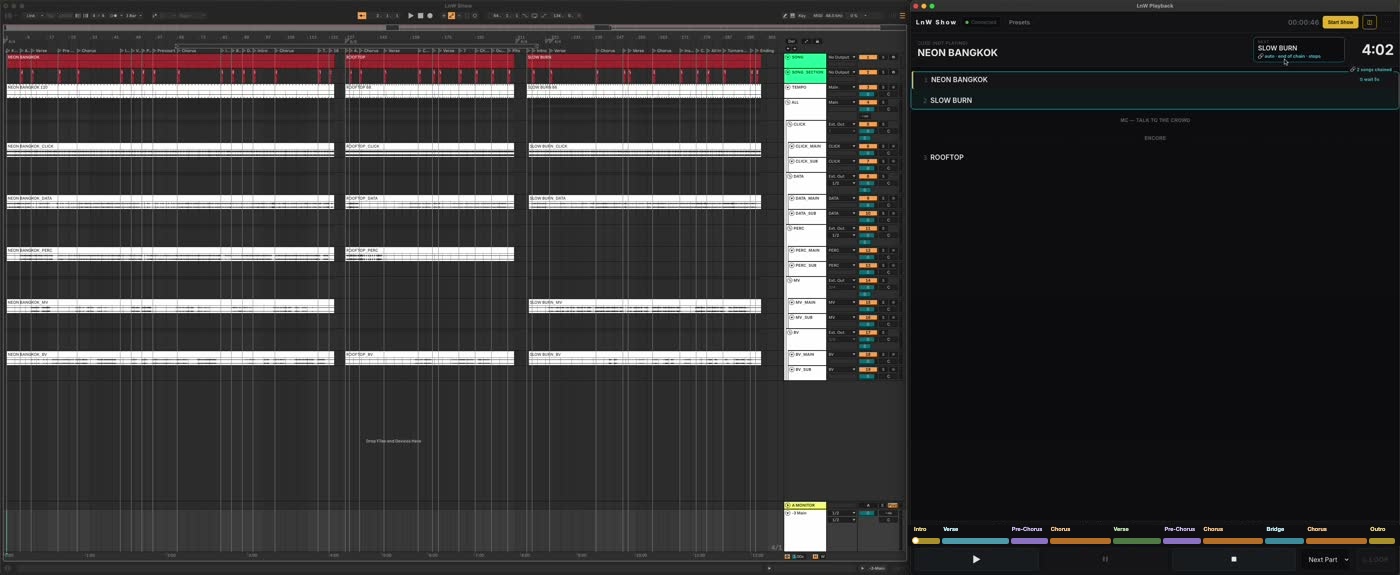
Ableton Live and LnW Playback side by side in Performance View
Performance View — Live on the left, LnW Playback on the right.
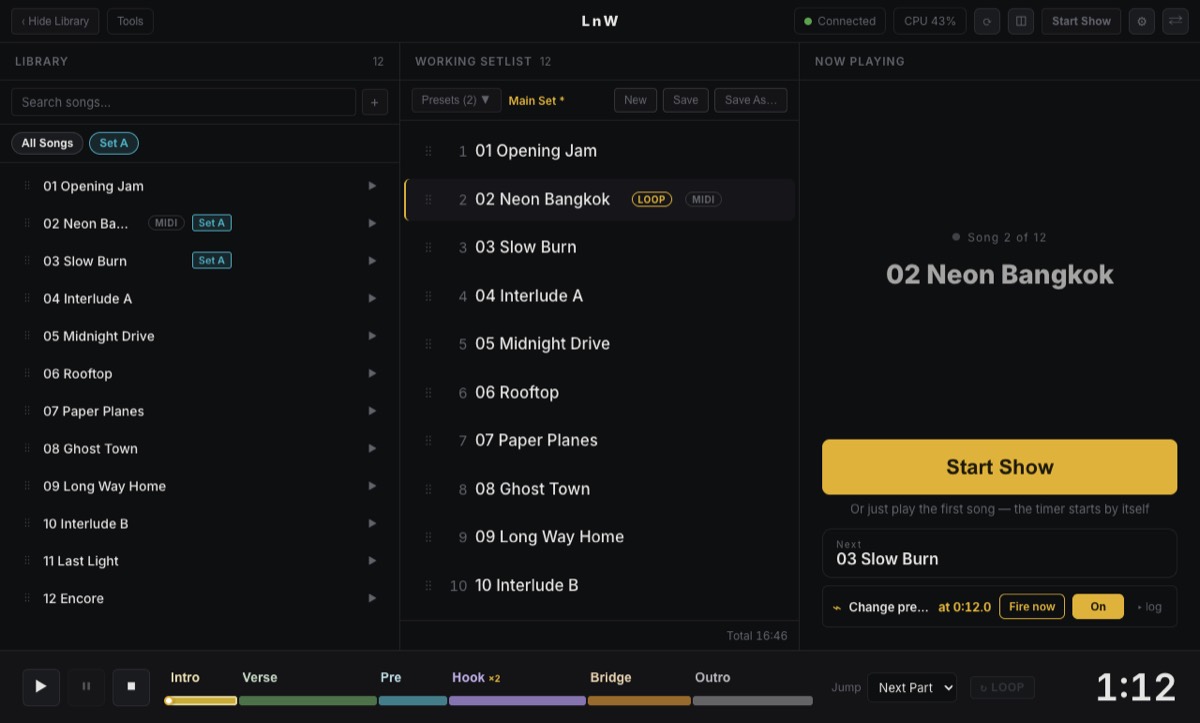
LnW Playback · the main screen

Everything for the show, on one screen

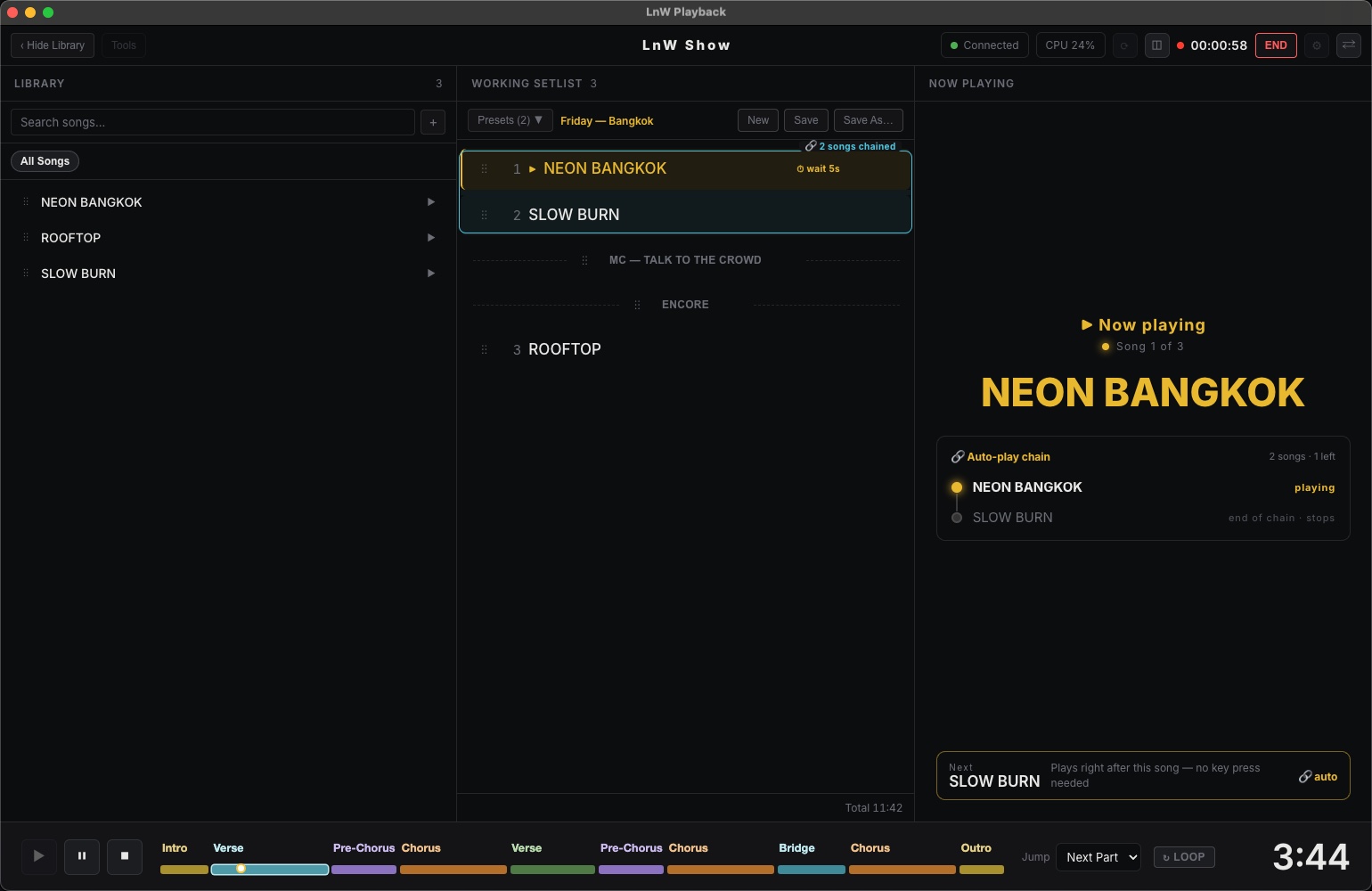
LnW Playback main window while a song plays: library, working setlist with labels and a chain, now playing, section bar and time left 1 2 3 4 5 6
  1. 1Library — every song in your Live Set
  2. 2Setlist — drag to reorder, save per gig, add notes between songs
  3. 3Now playing — big enough to read from the drum riser
  4. 4Auto-play chain — songs that start themselves
  5. 5Sections — click a name to jump, on the bar
  6. 6Time left in the song, always in view
What is LnW Builder?

It builds your playback project in Ableton for you

You hand it the stem files from your producer. It makes the whole Ableton Live Set — every song on the timeline, every stem on its track, tempo and section markers in place — ready for LnW Playback.
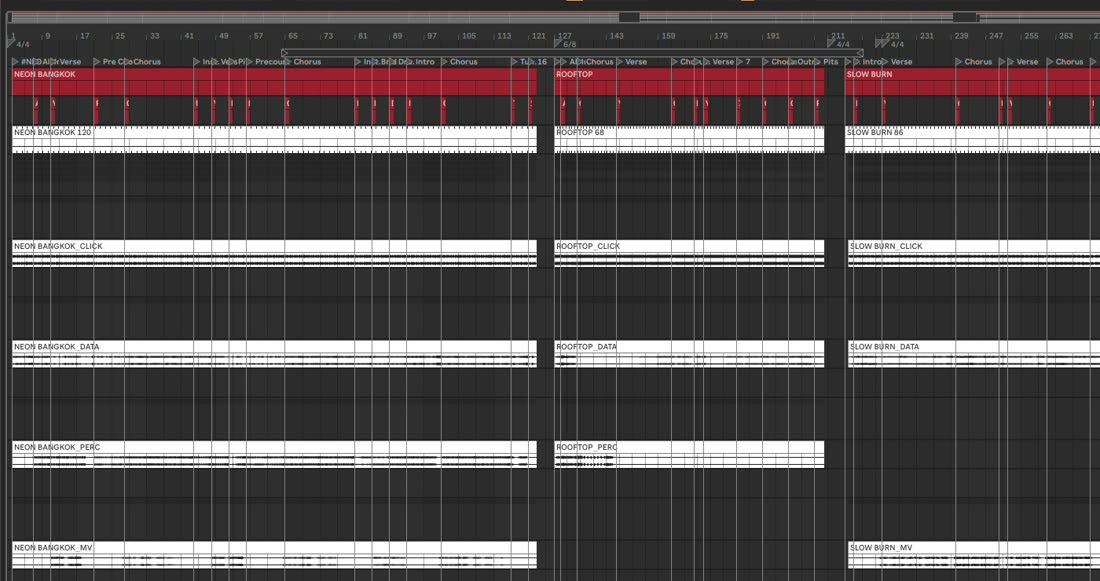
By hand · hours per show

  • Drag every stem onto the right track
  • Line each song up on the bar
  • Type the tempo for every song
  • Add and name a marker for every section
  • Route groups to your interface outputs

With LnW Builder · a few clicks

  • Drop the show folder
  • It hears the BPM in the click and the section names in the cue
  • Check, then Build — open the .als in Live
Two apps, one license

From stem folder to stage

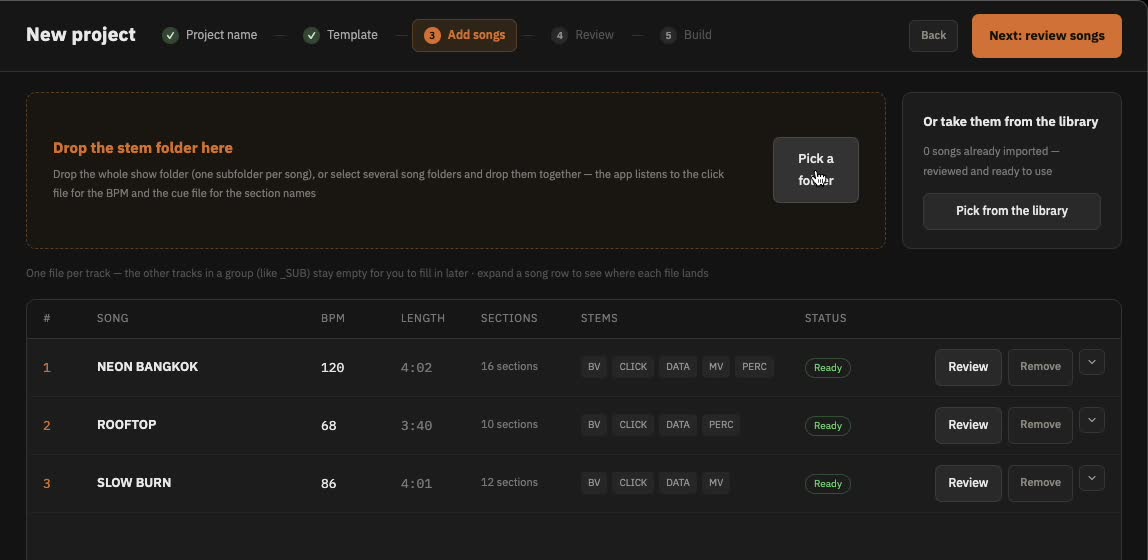
LnW Builder adding three songs with BPM and sections found

LnW Builder BUILDS THE PROJECT

  • Drop a folder per song — tempo comes from the click file
  • Section names come from the spoken cue track
  • One click builds the .als: tracks, groups, outputs, locators, tempo
LnW Playback main window with library, setlist and now playing

LnW Playback RUNS THE SHOW

  • Setlists you drag, save, or paste straight from chat
  • Jump and loop sections — always on the bar
  • Auto-play chains, MIDI pedals, phone & iPad remote
01Drop stems into Builder
02Open the .als in Live
03Setlist is already in Playback
04Play the show
Watch, then do it

Set up in minutes

Price

Pay once. Keep it.

$99USD · one-time
  • LnW Builder + LnW Playback
  • Use on 2 Macs — move it to a new Mac anytime
  • Free updates, forever
  • License key by email right after payment
Buy now — $99Coming soon

All sales are final — please try the free trial first.

Try free first

  • Playback: every feature, 15 minutes at a time
  • Builder: full features, up to 5 songs per set
  • No sign-up, no card
Download Playback Download Builder
Downloads open soon — follow @lnwplayback to hear first

macOS 12 Monterey or later · Apple silicon or Intel · Ableton Live 12.4 or later (Standard or Suite)

FAQ

Questions

Which Ableton Live do I need?

Ableton Live 12.4 or later, Standard or Suite. Intro and Lite don't have enough tracks for a full show. Playback talks to Live through a small control-surface script it installs for you.

Does it work on Windows?

Not yet. Both apps need macOS 12 Monterey or later, on Apple silicon or Intel.

Do I need internet on stage?

No. Go online once to activate your key. After that both apps run offline.

Is it a subscription?

No. You pay $99 once for both apps, and every update is free.

I got a new Mac. Can I move my license?

Yes. Release the old Mac in Settings, then enter the same key on the new one. One key covers 2 Macs at a time.

Can I get a refund?

All sales are final. The free trial includes every feature, so you can test it with your own show first.

How do I get help?

Send a DM to @lnwplayback on Instagram.